Show accessories for multiple top products
When a Digital Assistant returns more than one top product, related accessories can be fetched for all of them using the relations/bulk-results endpoint.
By default, related accessories are fetched only for a single top product using relations/result. To show accessories for multiple top products, you need to configure how many products the assistant should fetch relations for.
Configure the Relations component in Experience Designer
To enable bulk-results, configure the Relations component in Experience Designer:
-
Open Experience Designer and select the assistant you want to edit from the dropdown at the top. Then select the Results page from the page dropdown next to it.
-
Add a Relations component to the canvas. In the Components panel at the bottom, find the Relations component and drag it onto the results page layout.
-
Select the Relations component on the canvas. The settings panel on the right will show the Relations configuration options.
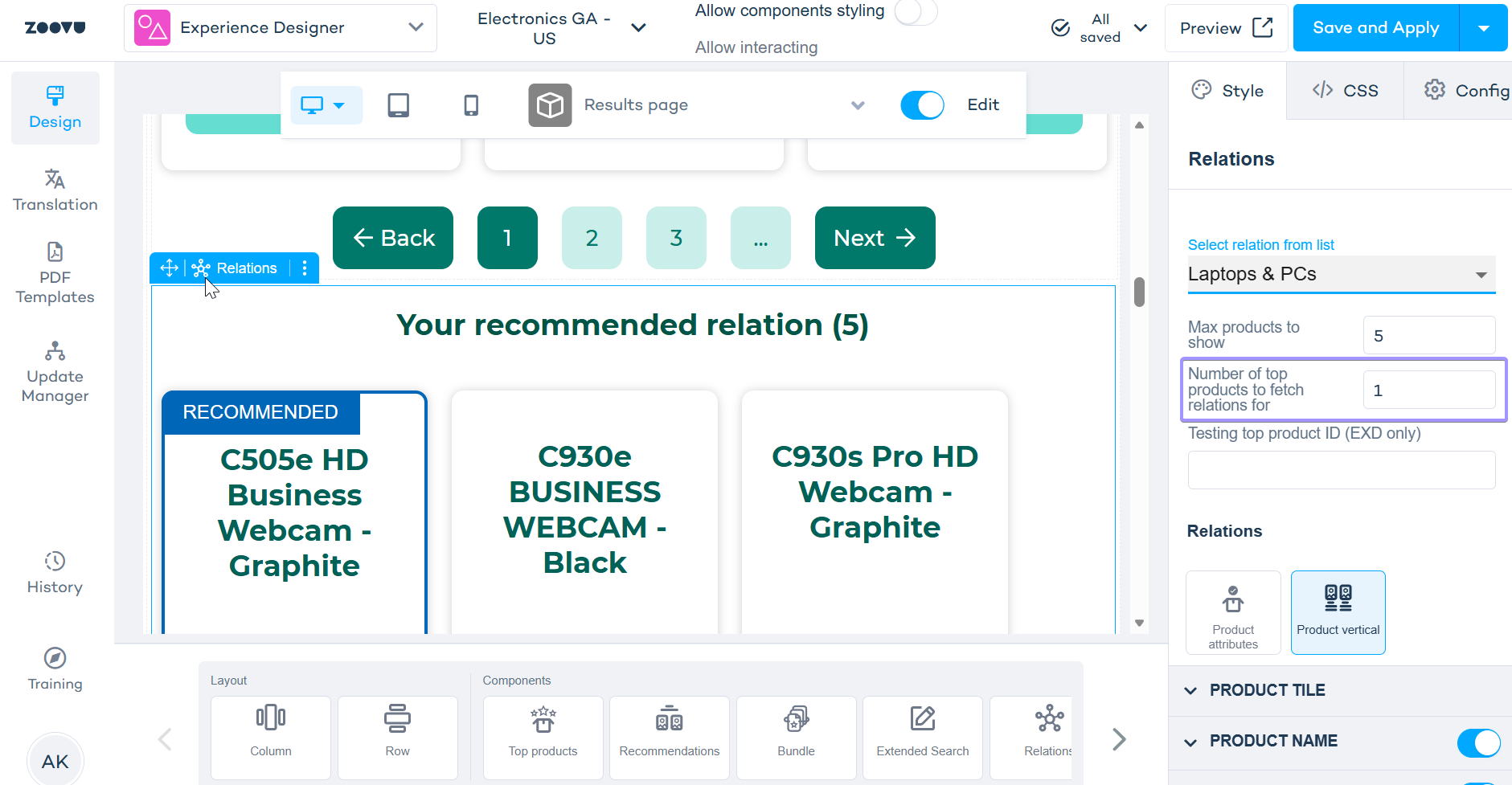
- Set "Number of top products to fetch relations for" to the number of top products you want accessories for. The default is 1, which fetches accessories only for the first recommended product. Set it to 2 (or more) to fetch accessories for multiple top products (this switches the API call to
relations/bulk-results).
Example:
Your assistant recommends a C505e HD Webcam (top result) alongside a C930e and C930s. With the setting at 1, only the C505e's accessories are shown. Set it to 3, and accessories are fetched for all three webcams.
You can also control Max products to show. This limits how many related items are displayed in total, regardless of how many top products they're fetched for.
Display behavior
Related items returned via bulk-results are shown sequentially per product. The accessories are never mixed across products.
- All accessories for Product A are displayed first, one after another.
- All accessories for Product B follow, as a separate group.
Example
If a user sees a Cast Iron Weight and a Stainless Steel Weight as top results, the related items section will show all Cast Iron Weight accessories first, followed by all Stainless Steel Weight accessories.