Troubleshooting data updates
Data updates in Data Platform and Search Studio can be blocked when validation checks detect unexpected changes in the incoming data.
Error message: Updates blocked
**Updates blocked**. The last full update has been rejected because the number of products was significantly lower than before. If you are sure that the number is correct please go to Search Settings and disable the update validity check.
What happened
Your update was blocked because the number of products in the upload is much lower than what is currently in the index. This is a safety check to prevent incomplete or broken data from being published.
Why this occurs:
- part of the catalog was filtered out
- an export failed or was incomplete
- many SKUs or product IDs changed at once
What to do
- Check your data source and confirm whether the lower product count is expected.
- If the product count is correct:
- go to Search Studio > Search Settings
- disable the update validity check
- run the update again
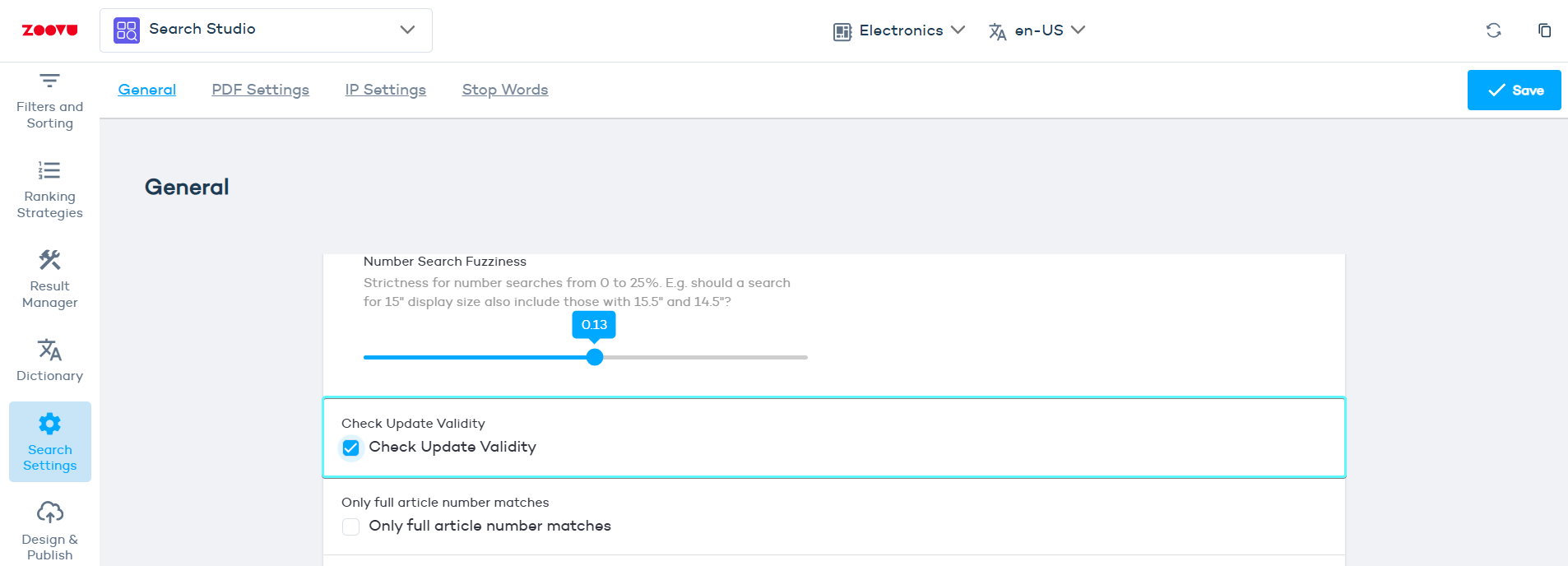
If you’re unsure, contact Zoovu Support before disabling the check.
Good to know
While this issue is unresolved, Search Studio continues using the previous data. Only disable the validity check if you are confident the uploaded data is complete and correct.