Locale-specific data
You can localize attribute data per locale in Data Platform > Ontology. This is useful when markets share a language but need regional variations, e.g. a different spelling or currency.
Example use cases:
- Attribute name
Colordisplayed asColourfor UK English - Attribute value
pinktranslated torosafor German - Unit
USDreplaced byEURfor French locale
Locale-specific settings override the language-level default when a project locale is matched:
- If a locale override exists, the locale-specific value is used.
- If no locale override exists, the language-level value is used as a fallback.
- Existing projects are unaffected unless you explicitly add locale overrides.
Setup
- Go to Data Platform > Ontology > Attributes.
- Open the attribute you want to configure.
- In the General tab, click
Set Localizations.
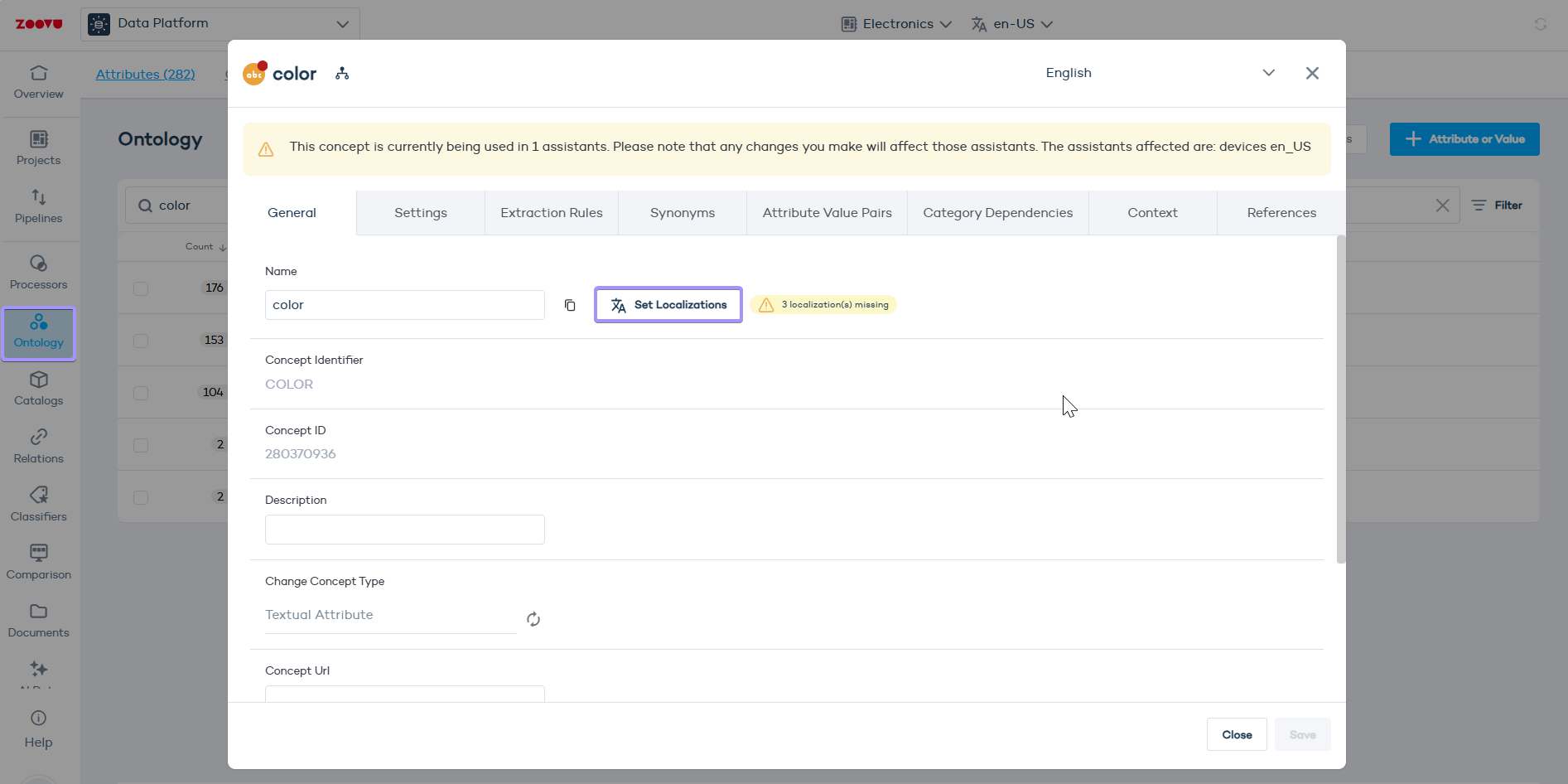
- In the Localizations panel, enter the locale-specific value for each locale listed.
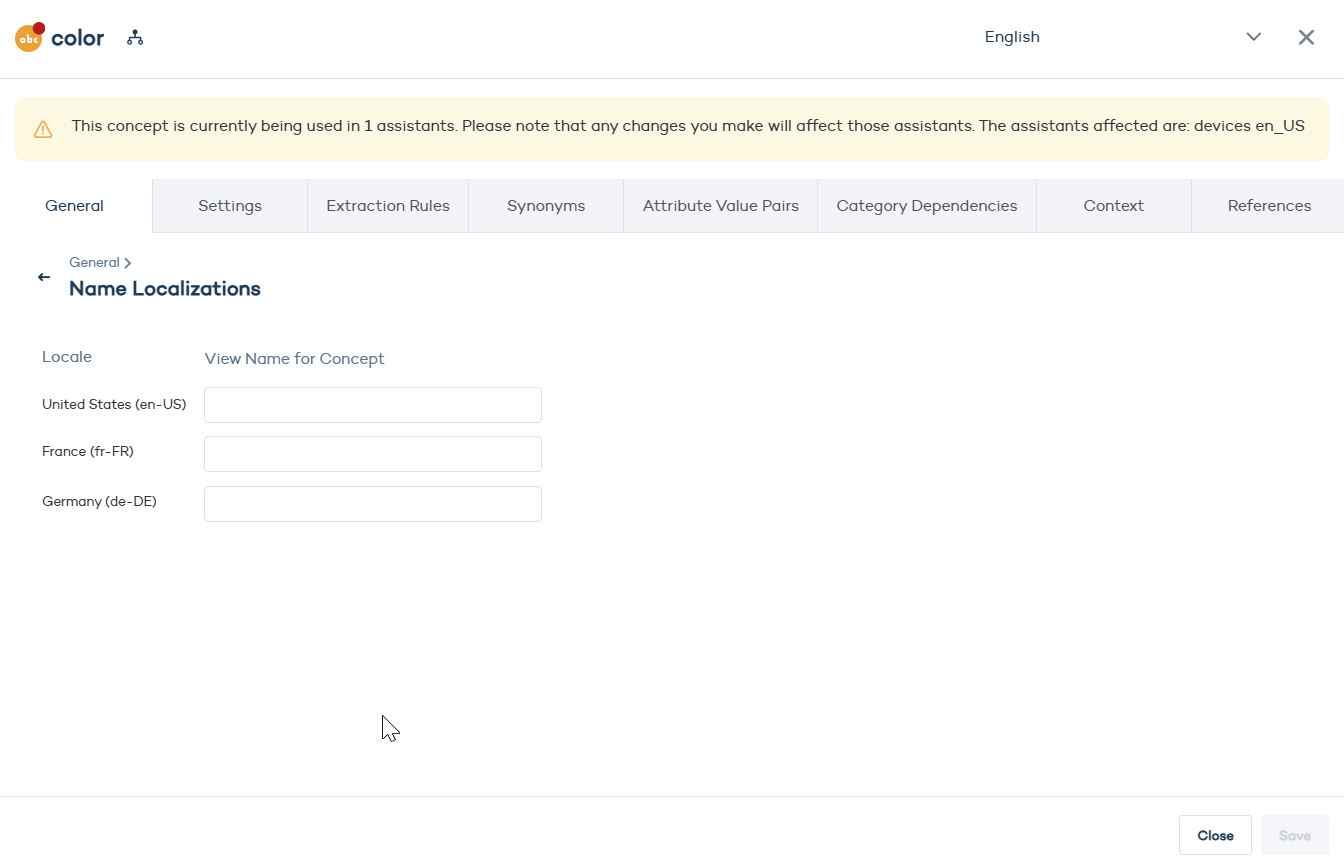
- Click Save.
Localize an attribute value
- In Ontology, find the attribute whose value you want to localize.
- Hover over the value and click Edit Value.
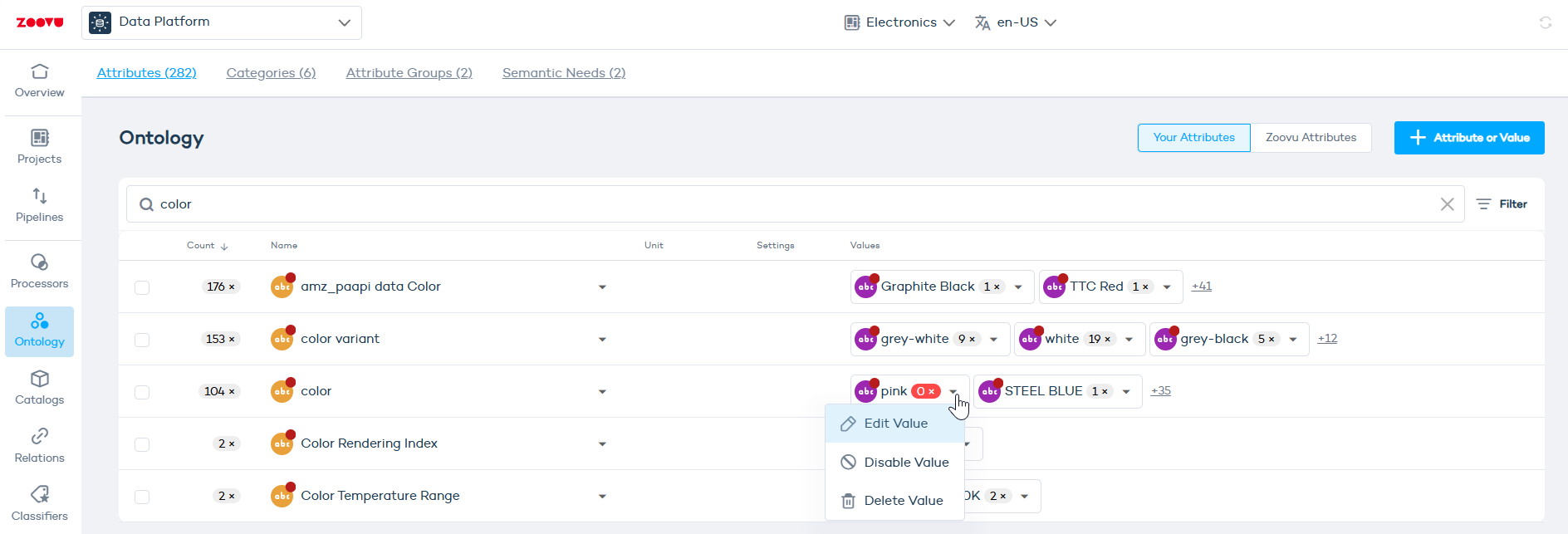
- In the General tab of the value editor, click
Set Localizations. - Enter the locale-specific label for each locale.
- Click Save.
Localize units
In the General tab of the attribute:
- Make sure the attribute has a Unit Type (e.g. Currency).
- In Unit for Concept, click Set localizations.
- This opens a panel showing all available locales for that language.
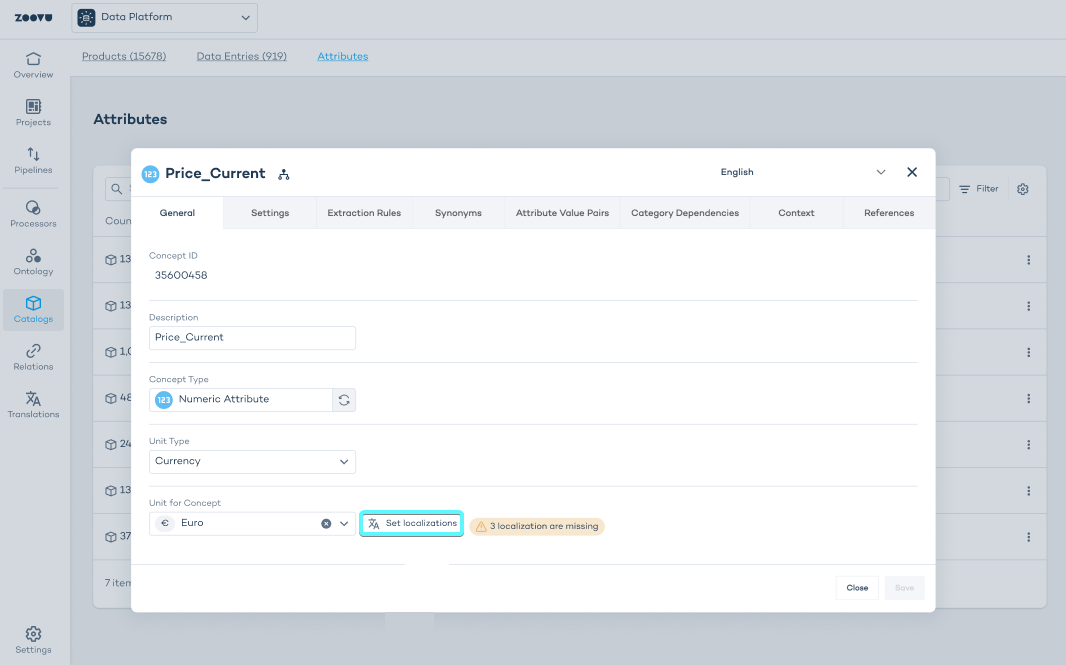
Step 3: Assign units per locale
For each locale:
- Select the unit you want to assign (e.g. Euro, US Dollar, British Pound).
- Repeat this for all locales relevant to your region setup.
- Click Save.
Locale-specific values will now override the language default whenever a user views data in that locale.