AI Guided Questions
The Question Bank in the Data Platform is a central place where you can store, manage, and generate AI Guided Questions that help customers find the right products. These questions are used in Search, Digital Assistants, and Zoe to guide users through the buying process.
With the question bank, you can:
- Use relevant AI-generated questions based on real product data.
- Automatically map answers to product attributes.
- Customize questions to fit your product catalog.
- Optimize guided selling by displaying the next best question based on customer input.
The next-best-question algorithm ensures that customers only see relevant questions based on:
- Their previous answers.
- Their search queries.
- The remaining products that match their needs.
The answers to AI Guided Questions are mapped onto your ontology. For example:
- What will you use the laptop for?
- Traveling (attribute:
weight < 2kg) - Gaming (attribute:
graphics_manufacturer = nvidia)
- Traveling (attribute:
Creating and managing questions
Add questions manually
- Go to Data Platform > Question Bank.
- Click Add question.
- Enter the question text (e.g., What screen size do you prefer?).
- Add answers and map them to relevant product attributes (e.g., 15-inch -> Screen size = 15 inches).
- (Optional) Attach an image to each answer.
- Click Save – the question is now available for use in your digital assistant or search experience.
Generate questions with AI
Instead of writing questions yourself, let AI analyze your product catalog and create relevant Q&A pairs.
- Click "Generate questions".
- Choose one of the options:
- For all products – Generates questions for the entire catalog.
- For a specific category – Generates questions only for selected categories.
- Click Save to store the generated questions in the question bank.
AI will suggest multiple questions with mapped answers. Review and edit them if needed.
Generate AI-powered questions
To start generating questions, click Generate Questions and choose what you want to generate questions for:
- All products – AI will analyze the entire catalog and generate broad questions applicable to all products.
- Specific category – AI will generate questions tailored to a selected category.
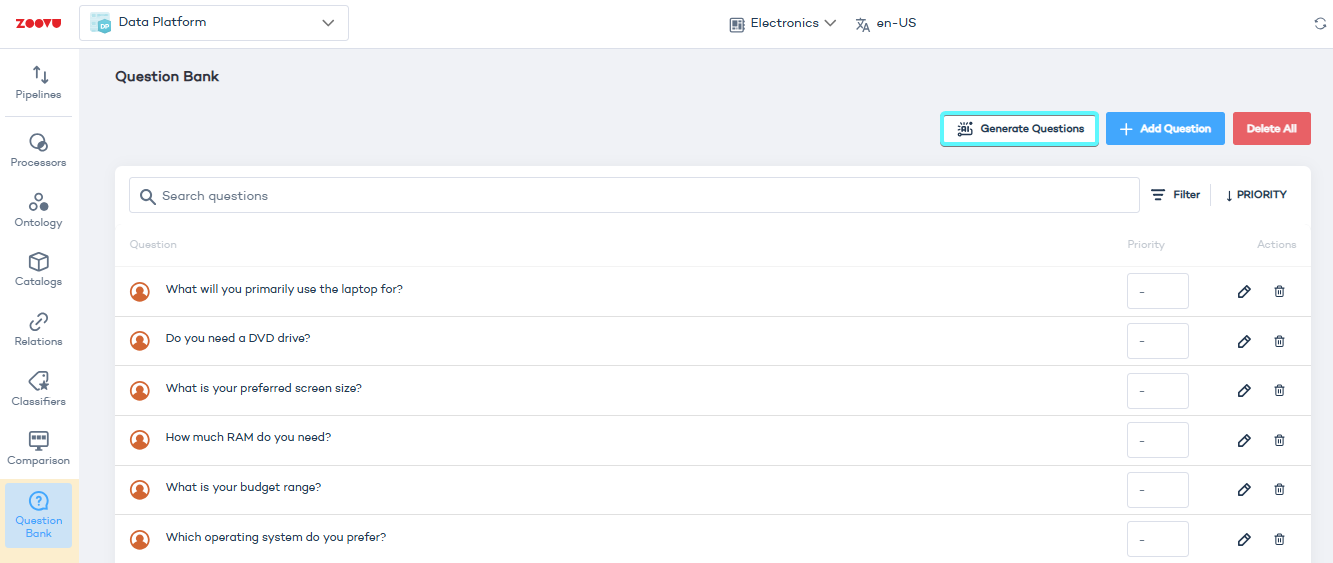
Zoovu ranks questions based on how much they help narrow down choices. The most impactful questions appear first, so that customers quickly reach the best product options.
Customize AI Guided Questions
Once AI generates a list of suggested questions, you can customize them before adding them to your assistant. Each question can include:
- Question text – The main question users will see.
- Answer options – AI-generated answer choices.
- Short name – A concise label for each answer (useful for internal organization).
- Explanation – Additional details to clarify the answer.
- Attribute selection – Connects answers to specific product attributes from your catalog.
- Sort order – Allows sorting answers based on an attribute (e.g., price, size).
- Picture (optional) – Adds an image to represent the answer.
To add a new answer, click Add Answer and fill in the required details.
You can review and edit these questions before adding them to your Digital Assistant in Conversation Studio. Learn more.
Question priority
Priority controls the order in which AI Guided Questions are asked. Questions with a higher priority value appear earlier in the conversation.
Priority uses a fixed scale from 1 to 5.
- Higher number = asked earlier (for example, 5 comes before 3).
- Questions with the same priority are ordered automatically.
- Disabled questions never appear, regardless of priority.
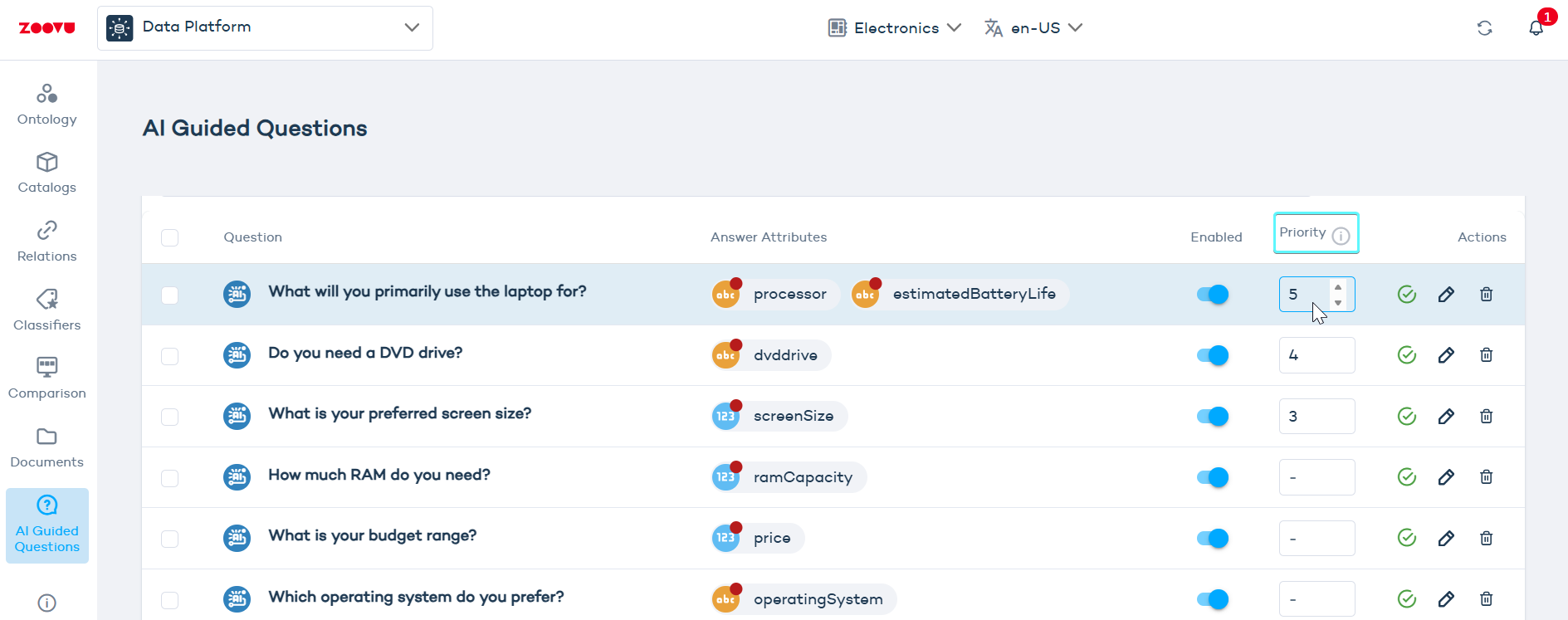
Use priority to surface questions that strongly narrow results or influence recommendations. This helps users reach relevant products faster without feeling overwhelmed.